

MP
Maya Patel
Product Marketing Manager
Practicing against the actual job description made my answers much sharper than generic mock interview tools.
InterviewsPilot helps you practice against the role you actually want, using saved job context, guided question focus, and feedback that is easier to review before the real interview.
Practice from saved applications or manual job briefs without rebuilding the context every time
Get scored feedback and focused coaching after each interview session
Keep interview prep connected to your resume and application workflow in one place
Why it works
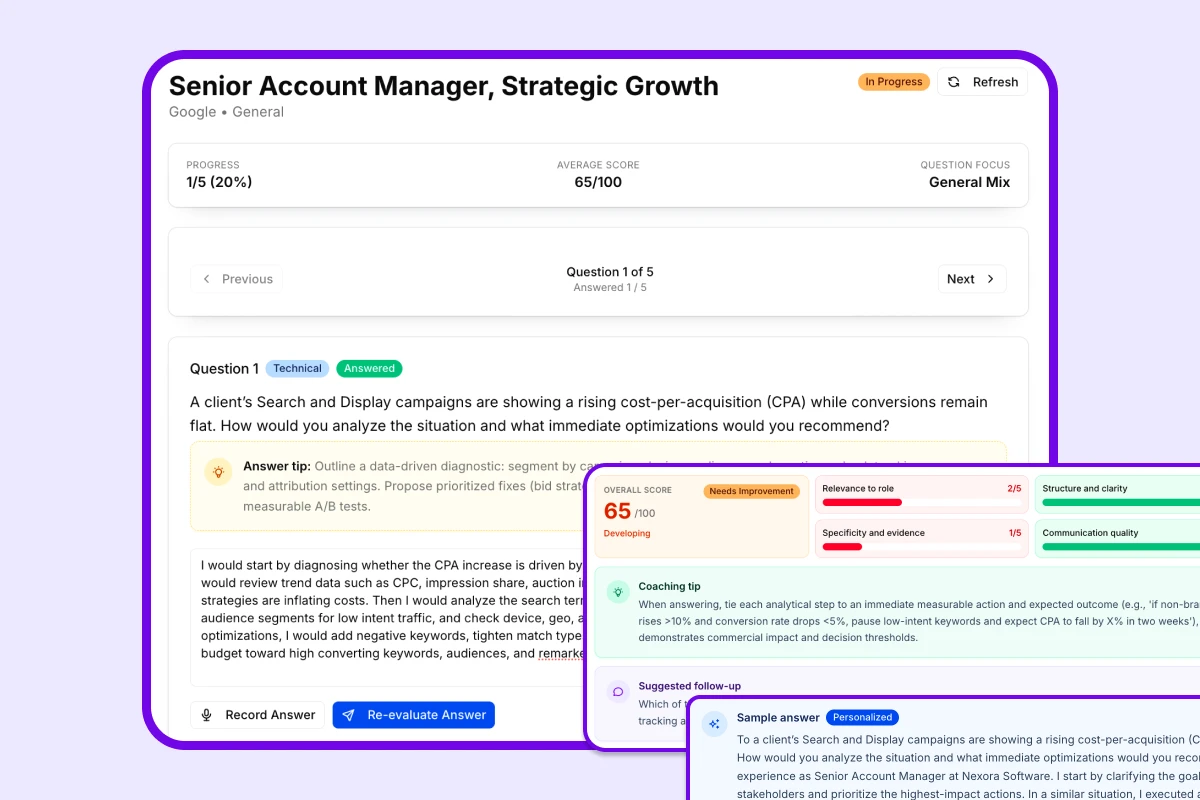
InterviewsPilot keeps interview practice grounded in the real job context you are preparing for. Instead of jumping into a generic mock interview, you can start from saved applications or a manual brief, choose the session mode you want, and review scored feedback after each round.
Capabilities
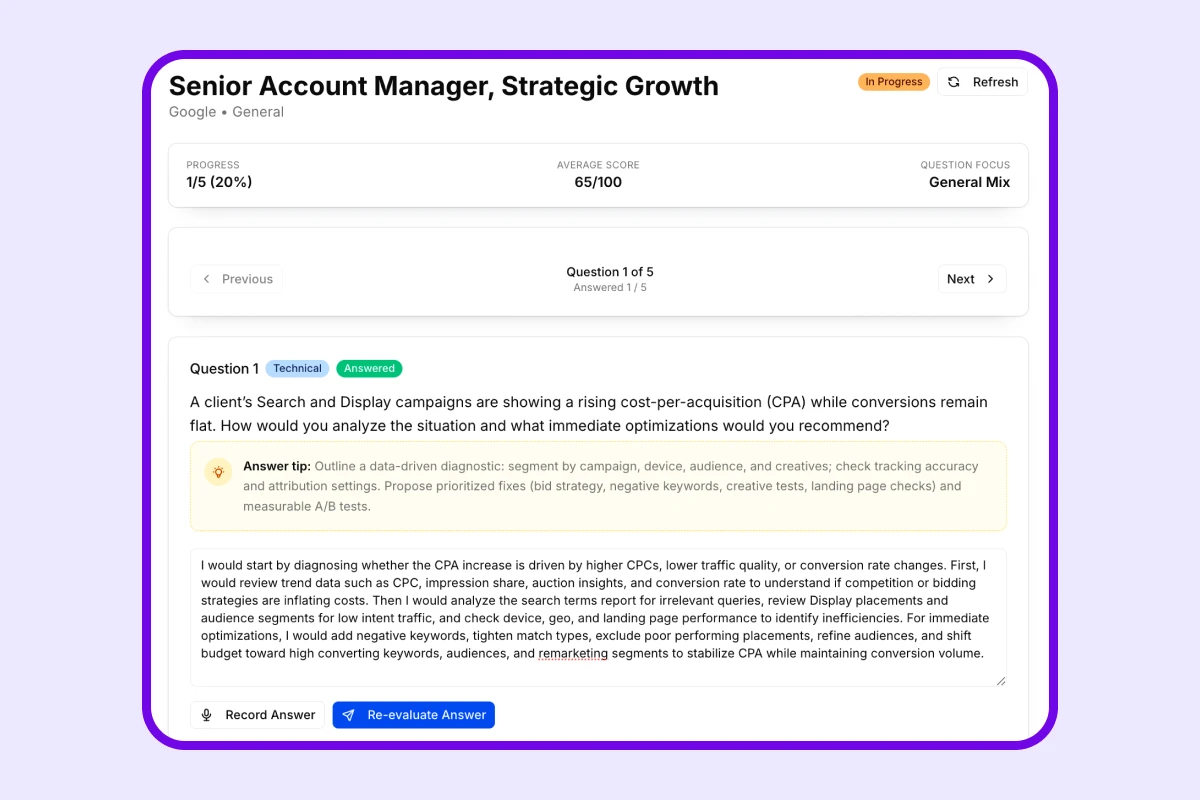
InterviewsPilot combines role context, guided practice, and reviewable feedback so interview preparation feels connected to the rest of your job search instead of isolated from it.
Use job titles, companies, and job descriptions you already saved so your practice session begins with the right context.
Create a session from scratch when you want to prepare for a role before it is added to your tracker.
Adjust the style of the session and the number of questions so each practice round matches the kind of interview you expect.
Use voice-driven practice and transcription-friendly responses when you want preparation to feel closer to a real conversation.
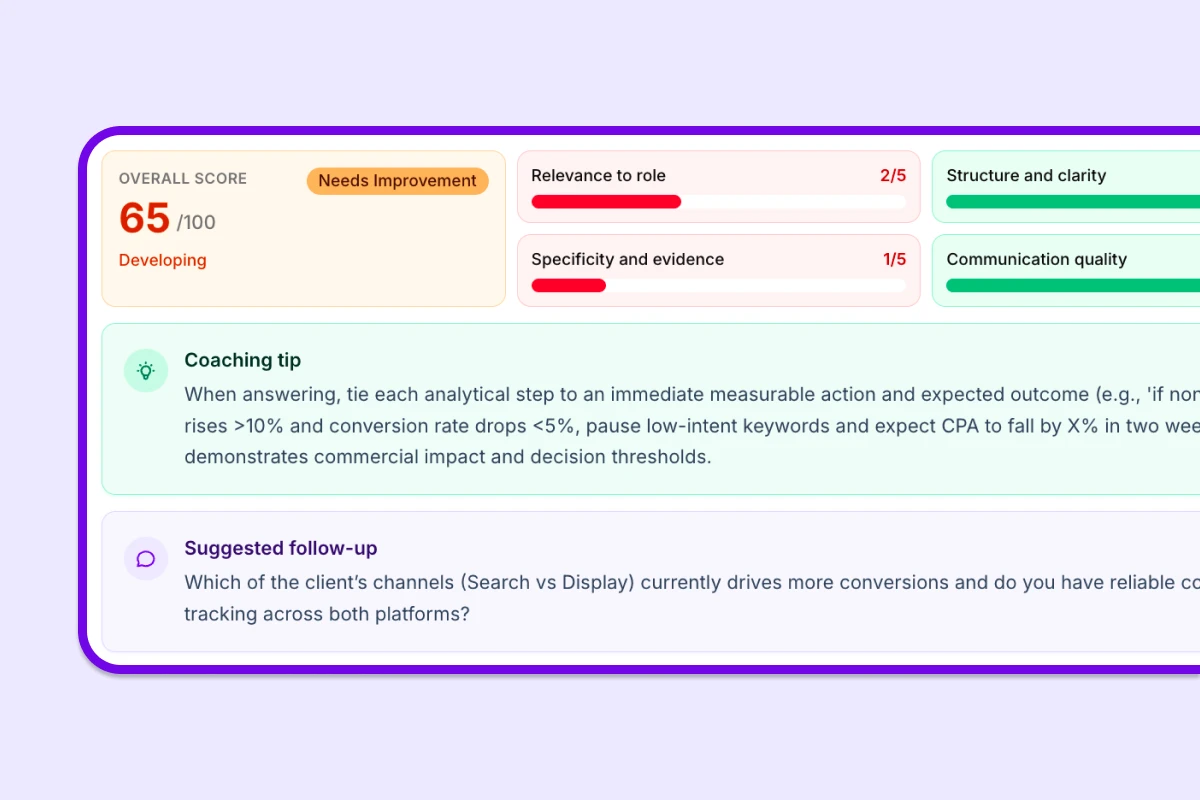
Get answer-level scoring and targeted coaching so you can see which parts of your response need a stronger example, structure, or delivery.
Return to previous sessions to review progress, compare outcomes, and keep improving across multiple interview rounds.
Testimonials
People use InterviewsPilot to practice more deliberately, tighten their stories, and keep interview prep connected to the same roles they are actively applying for.
Maya Patel
Product Marketing Manager
Practicing against the actual job description made my answers much sharper than generic mock interview tools.
Jordan Kim
Operations Analyst
The scoring helped me see where my examples were too vague, and I could fix that before the real interview.
Sofia Alvarez
Customer Success Manager
I liked being able to prepare from a saved application instead of typing the same role context into a separate prep tool.
Ethan Ross
Implementation Specialist
The practice sessions felt structured enough to keep me honest, but still fast enough to fit into a busy week of interviews.
Hana Mori
UX Researcher
Session history was more useful than I expected. I could clearly see the difference between my first and third attempts.
Noah Bennett
Account Manager
It gave me a realistic way to rehearse out loud, then tighten the parts of my answer that kept drifting.
Maya Patel
Product Marketing Manager
Practicing against the actual job description made my answers much sharper than generic mock interview tools.
Jordan Kim
Operations Analyst
The scoring helped me see where my examples were too vague, and I could fix that before the real interview.
Sofia Alvarez
Customer Success Manager
I liked being able to prepare from a saved application instead of typing the same role context into a separate prep tool.
Ethan Ross
Implementation Specialist
The practice sessions felt structured enough to keep me honest, but still fast enough to fit into a busy week of interviews.
Hana Mori
UX Researcher
Session history was more useful than I expected. I could clearly see the difference between my first and third attempts.
Noah Bennett
Account Manager
It gave me a realistic way to rehearse out loud, then tighten the parts of my answer that kept drifting.
Hana Mori
UX Researcher
Session history was more useful than I expected. I could clearly see the difference between my first and third attempts.
Noah Bennett
Account Manager
It gave me a realistic way to rehearse out loud, then tighten the parts of my answer that kept drifting.
Priya Shah
Program Coordinator
I used it right after tailoring my resume and saving the role. That connected workflow made prep much less scattered.
Lucas Grant
Revenue Operations Associate
The question focus controls were useful because I could spend time on the interview areas I actually needed to improve.
Maya Patel
Product Marketing Manager
Practicing against the actual job description made my answers much sharper than generic mock interview tools.
Jordan Kim
Operations Analyst
The scoring helped me see where my examples were too vague, and I could fix that before the real interview.
Hana Mori
UX Researcher
Session history was more useful than I expected. I could clearly see the difference between my first and third attempts.
Noah Bennett
Account Manager
It gave me a realistic way to rehearse out loud, then tighten the parts of my answer that kept drifting.
Priya Shah
Program Coordinator
I used it right after tailoring my resume and saving the role. That connected workflow made prep much less scattered.
Lucas Grant
Revenue Operations Associate
The question focus controls were useful because I could spend time on the interview areas I actually needed to improve.
Maya Patel
Product Marketing Manager
Practicing against the actual job description made my answers much sharper than generic mock interview tools.
Jordan Kim
Operations Analyst
The scoring helped me see where my examples were too vague, and I could fix that before the real interview.
How it works
The interview-prep workflow keeps role context, practice, and review together so you can improve faster before the real conversation.
Step 1
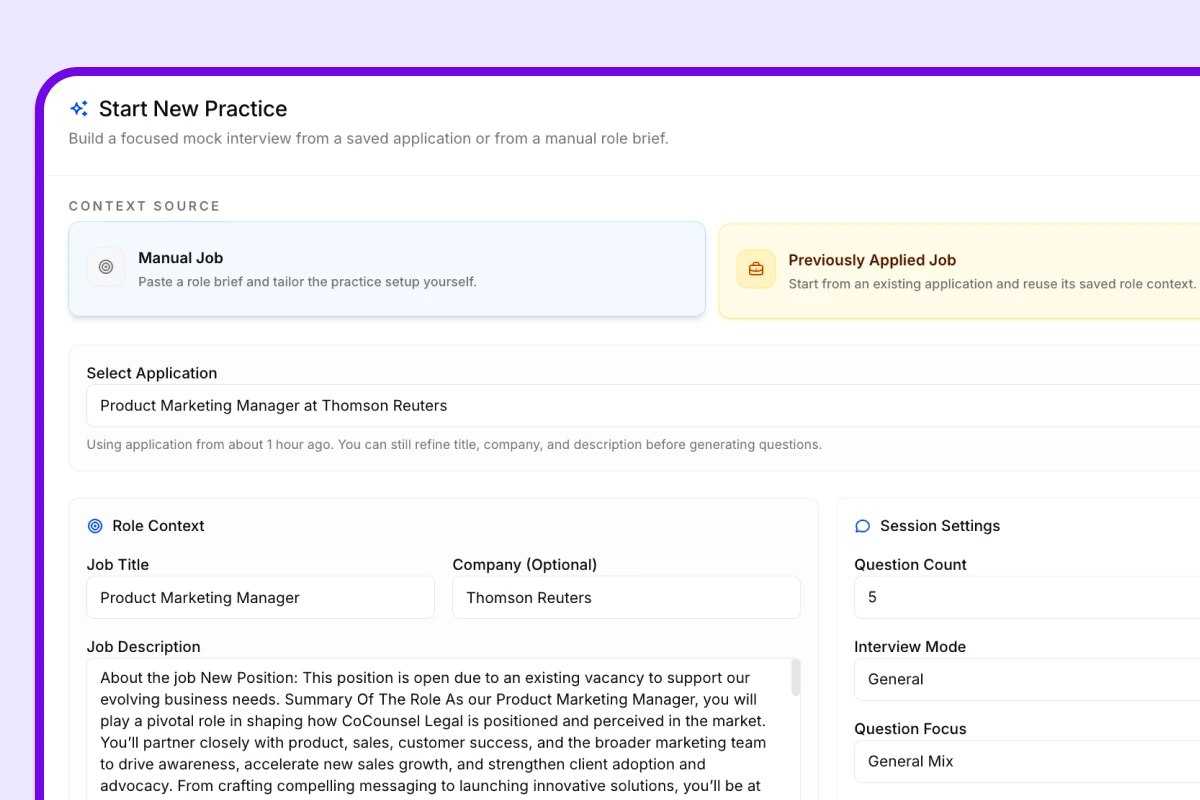
Choose a saved application or enter a manual role brief so the practice session begins with the specific job you want to prepare for.
Step 2
Pick your interview mode, question focus, and session size, then practice with prompts that stay closer to the role you are targeting.
Step 3
Look back at scored responses and coaching notes so your next practice round is more precise and confident.
Who it is for
InterviewsPilot works well for people who want interview practice connected to the same role context, application details, and preparation workflow they already use elsewhere in the product.
If you want practice that reflects the actual job you are targeting, this workflow keeps the mock session anchored to that role instead of a generic prompt set.
If you are juggling multiple interviews at once, saved application context helps you switch between roles without losing the details that matter.
If your answers get better after reviewing what worked and what did not, scoring and session history make each new round more useful.
If you would rather tailor your resume, track the role, and practice for interviews in one place, the workflow keeps those steps aligned.
FAQ
Clear answers for job seekers comparing AI interview preparation tools, mock interview workflows, and browser-based interview practice.
Get started today
Create your free account and generate your first ATS-optimized resume in minutes. No credit card required. Upgrade to Pro when you need unlimited output.