


CO
Camila Ortega
Customer Marketing Manager
The answer generator gave me a strong first draft for application questions that used to slow me down every single time.
Paste employer questions, choose the most relevant experience context, and generate polished drafts that are easier to refine before you submit your application.
Turn employer questions into tailored draft answers faster
Use saved experience, notes, and job context in one workflow
Regenerate and refine responses before you submit the application
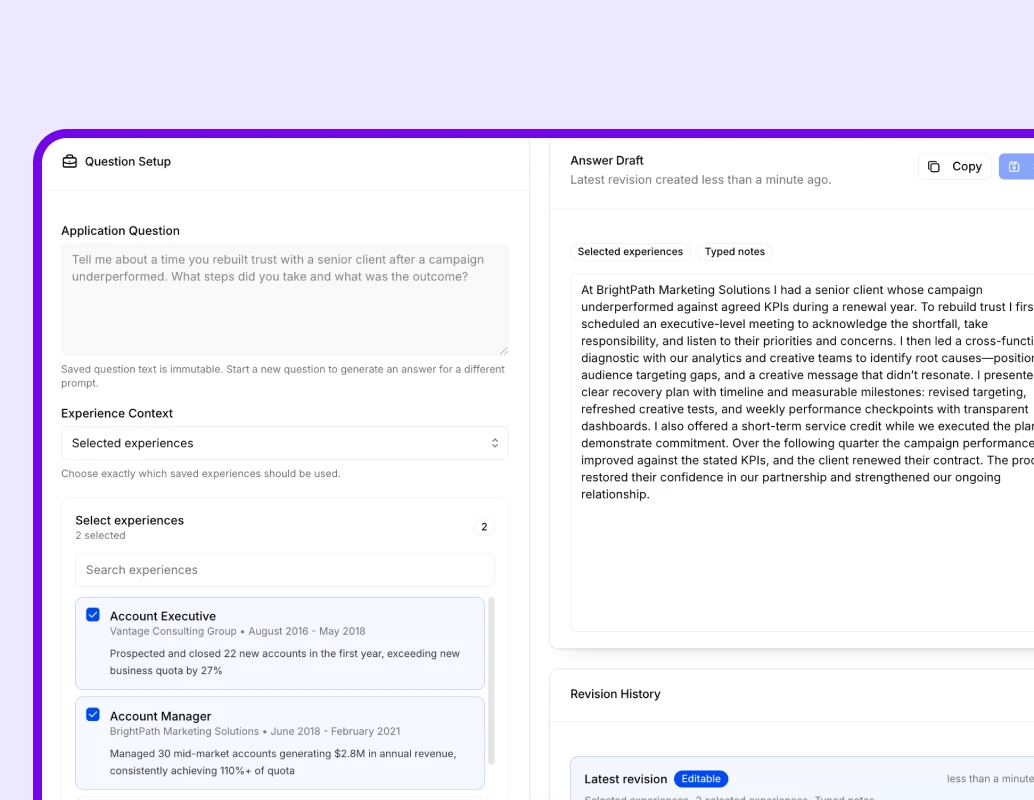
Why it works
InterviewsPilot helps you answer employer application questions without starting from an empty box every time. The workflow keeps the question, role context, saved experience, and manual notes together so the draft is easier to trust and improve.
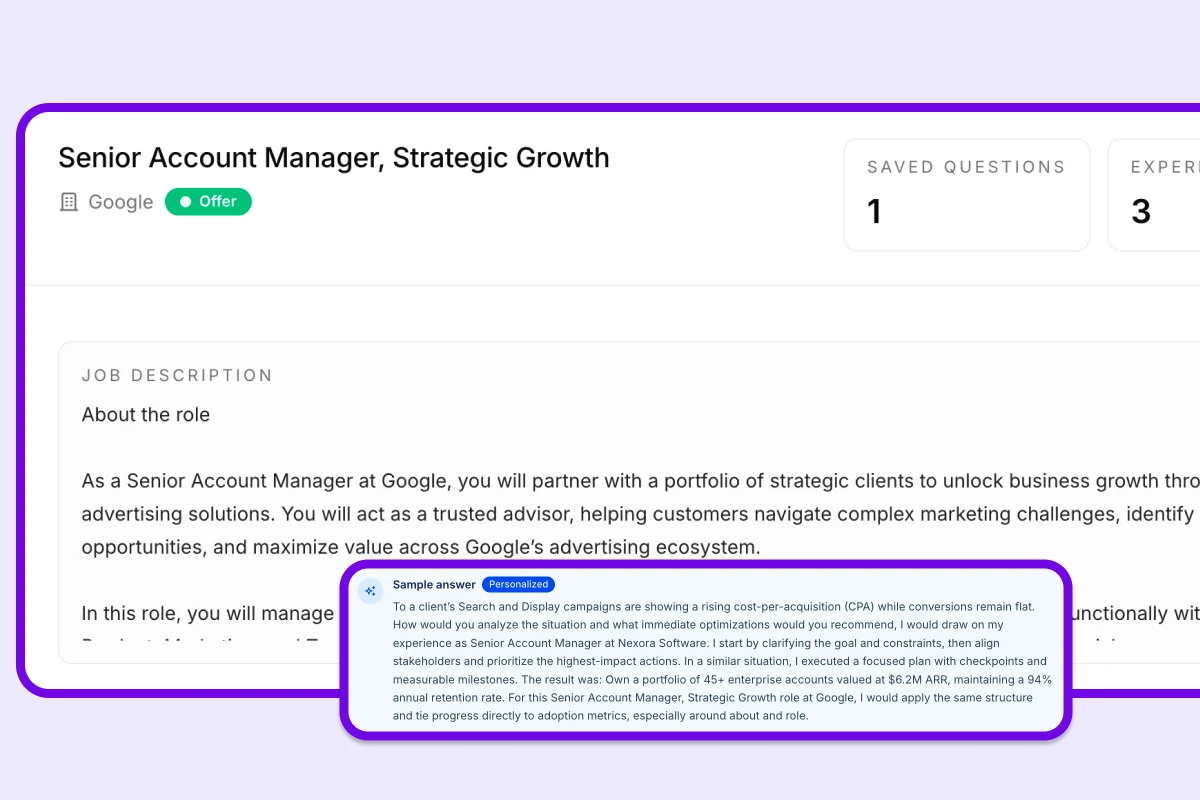
Capabilities
InterviewsPilot combines question-based drafting, experience-aware context selection, and fast regeneration so application responses are easier to write and improve.
Start from the exact application question so the generated answer stays anchored to what the employer is actually asking.
Generate from all saved experiences, selected roles, or no saved experience when you want the answer grounded in only manual notes.
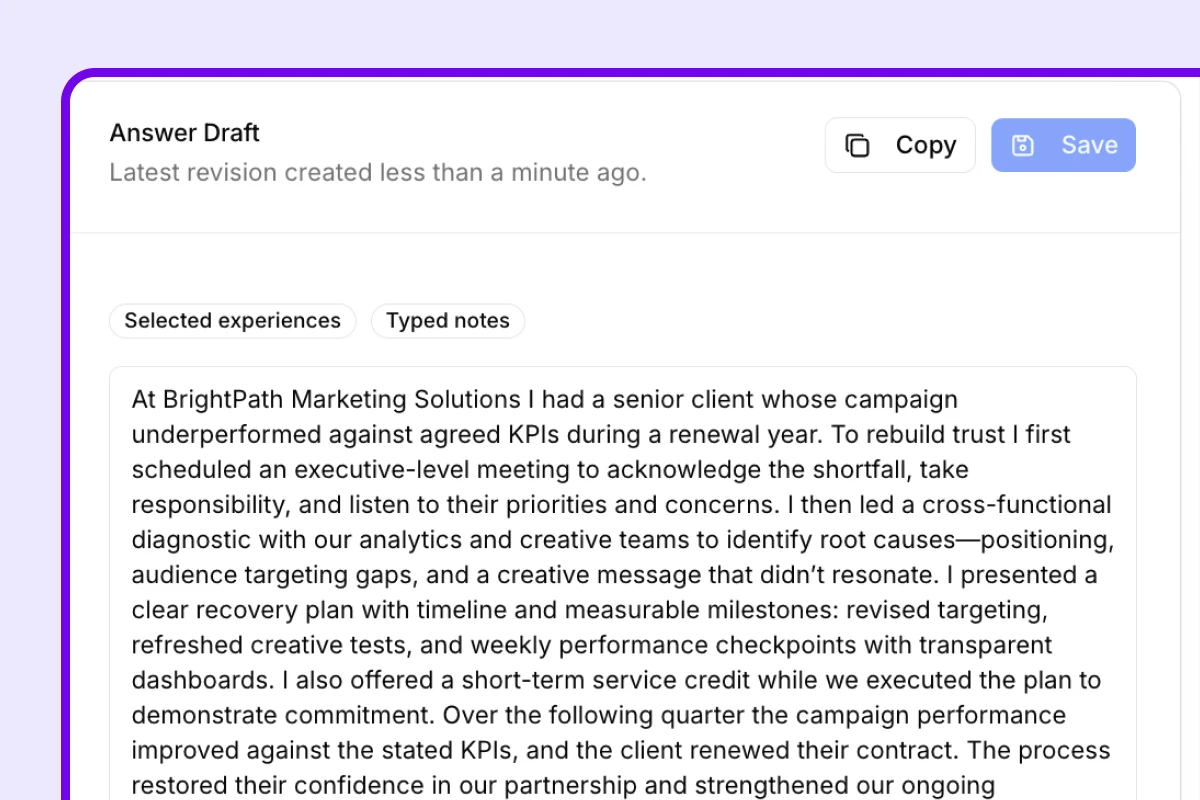
Include extra examples, reminders, and context through typed notes or voice transcription before you generate the answer.
Add instructions for tone, emphasis, or format so the response is better shaped to the application without inventing new facts.
Run the answer generator again with updated instructions or context until the wording feels ready to use.
Stay close to the job description and application details while answering so your responses remain relevant to the role.
Testimonials
People use InterviewsPilot to speed up application writing, answer employer questions with better context, and avoid staring at blank text boxes during the application process.
Camila Ortega
Customer Marketing Manager
The answer generator gave me a strong first draft for application questions that used to slow me down every single time.
Brandon Lee
Business Analyst
I liked being able to choose which experiences to use. The responses felt much more relevant than generic AI text.
Nadia Hussain
Project Manager
Application questions used to break my flow. This helped me answer them much faster without feeling like I was copying and pasting the same thing everywhere.
Trevor Miles
Sales Operations Analyst
The biggest win was being able to add notes and regenerate. I could quickly move from rough ideas to a cleaner final answer.
Lina Wu
Recruiting Coordinator
It saved me a surprising amount of time on short-answer application fields, especially when the question wanted a specific example.
Gavin Brooks
Account Executive
I could keep the answer tied to the job description and my own experience, which made the drafts far more usable.
Camila Ortega
Customer Marketing Manager
The answer generator gave me a strong first draft for application questions that used to slow me down every single time.
Brandon Lee
Business Analyst
I liked being able to choose which experiences to use. The responses felt much more relevant than generic AI text.
Nadia Hussain
Project Manager
Application questions used to break my flow. This helped me answer them much faster without feeling like I was copying and pasting the same thing everywhere.
Trevor Miles
Sales Operations Analyst
The biggest win was being able to add notes and regenerate. I could quickly move from rough ideas to a cleaner final answer.
Lina Wu
Recruiting Coordinator
It saved me a surprising amount of time on short-answer application fields, especially when the question wanted a specific example.
Gavin Brooks
Account Executive
I could keep the answer tied to the job description and my own experience, which made the drafts far more usable.
Lina Wu
Recruiting Coordinator
It saved me a surprising amount of time on short-answer application fields, especially when the question wanted a specific example.
Gavin Brooks
Account Executive
I could keep the answer tied to the job description and my own experience, which made the drafts far more usable.
Anika Roy
Product Operations Manager
The workflow felt practical. Paste the question, choose context, add notes, and you have something worth editing almost immediately.
Cole Bennett
Implementation Consultant
It helped me sound more focused when employers asked open-ended questions that usually took too long to answer well.
Camila Ortega
Customer Marketing Manager
The answer generator gave me a strong first draft for application questions that used to slow me down every single time.
Brandon Lee
Business Analyst
I liked being able to choose which experiences to use. The responses felt much more relevant than generic AI text.
Lina Wu
Recruiting Coordinator
It saved me a surprising amount of time on short-answer application fields, especially when the question wanted a specific example.
Gavin Brooks
Account Executive
I could keep the answer tied to the job description and my own experience, which made the drafts far more usable.
Anika Roy
Product Operations Manager
The workflow felt practical. Paste the question, choose context, add notes, and you have something worth editing almost immediately.
Cole Bennett
Implementation Consultant
It helped me sound more focused when employers asked open-ended questions that usually took too long to answer well.
Camila Ortega
Customer Marketing Manager
The answer generator gave me a strong first draft for application questions that used to slow me down every single time.
Brandon Lee
Business Analyst
I liked being able to choose which experiences to use. The responses felt much more relevant than generic AI text.
How it works
The generator helps you move from question to draft to final response quickly while keeping the application context close.
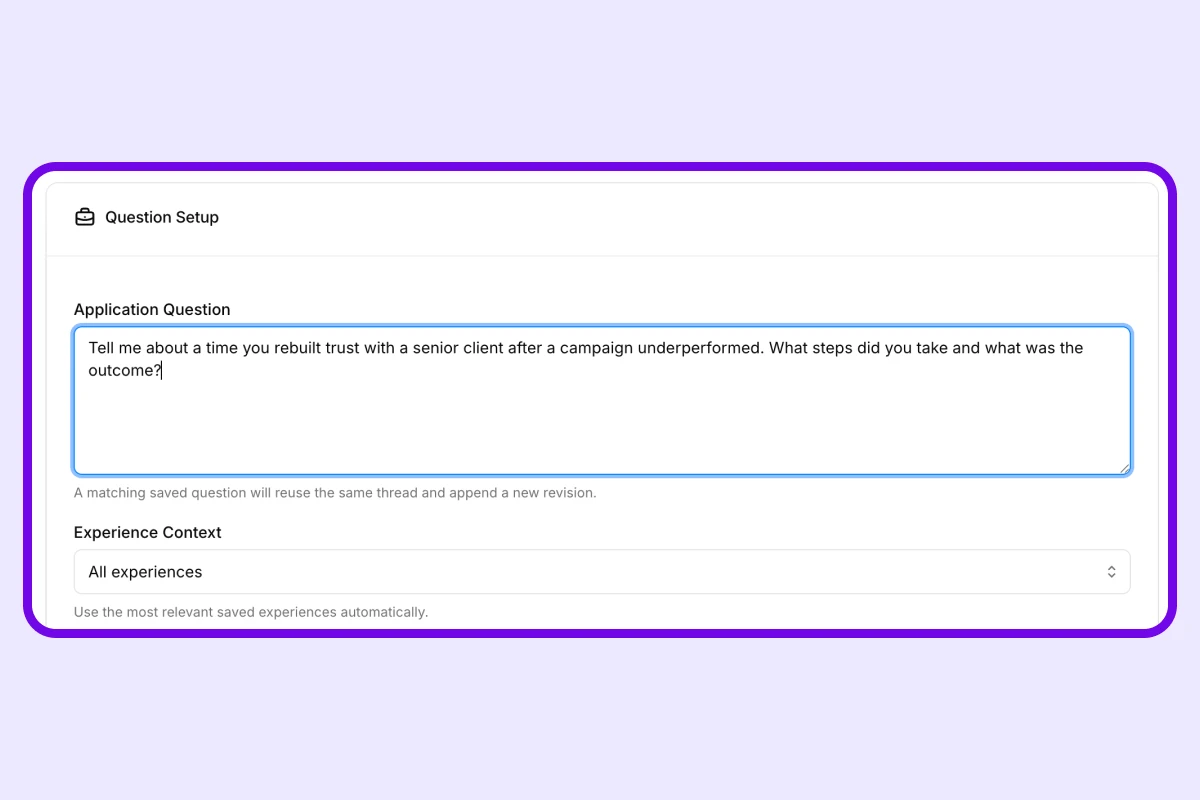
Step 1
Start with the exact application prompt so the answer is shaped around what the employer wants to learn from you.
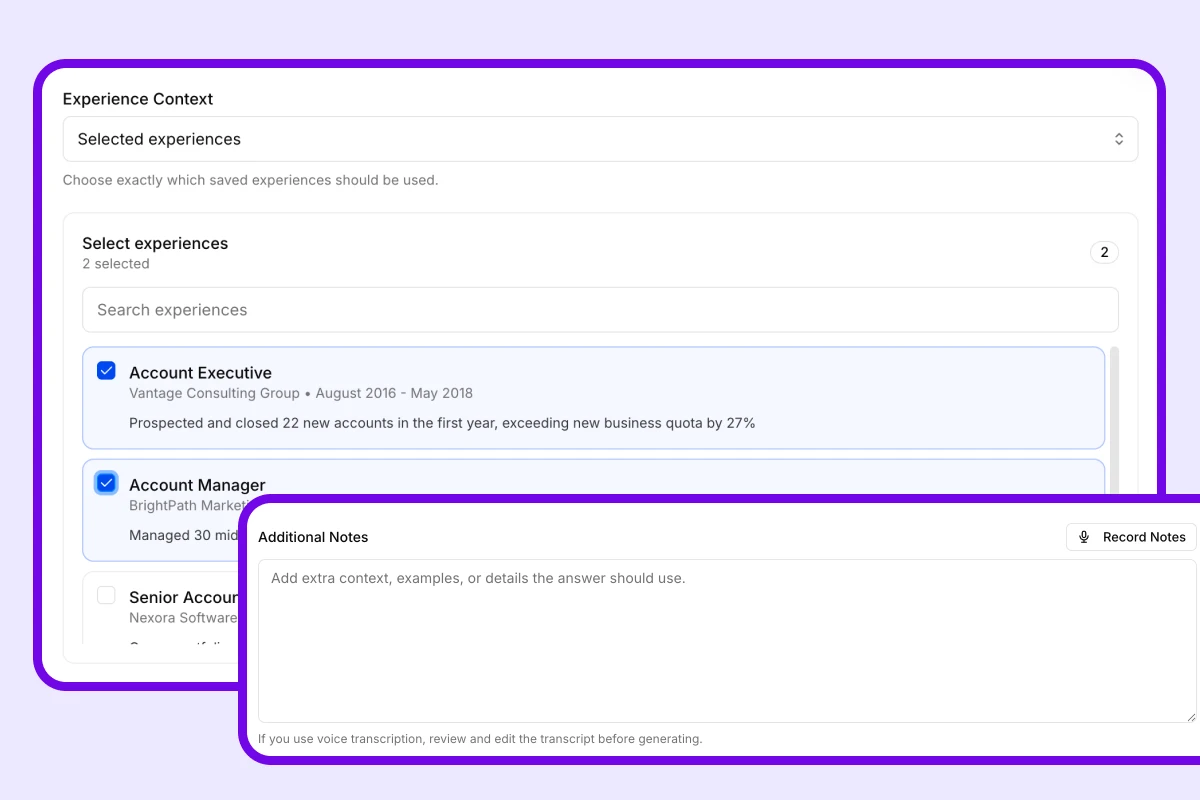
Step 2
Select saved experiences, add notes, and include instructions so the response is based on the right examples and emphasis.
Step 3
Create the draft answer, edit what you want to improve, and regenerate as needed until it is ready to submit.
Who it is for
InterviewsPilot works well for people who want a faster way to answer employer questions without losing relevance or relying on generic AI copy.
If employer questions slow you down across many applications, the answer generator helps you keep momentum without sacrificing relevance.
If you want answers that reflect the specific job and your strongest relevant experience, the generator gives you a more focused starting point.
If it is easier to explain your examples verbally, voice notes make it easier to capture the raw context before turning it into a cleaner written answer.
If blank response fields create friction every time you apply, this workflow gives you structure and speed without removing your control over the final wording.
FAQ
Clear answers for job seekers comparing job application answer generators, AI-assisted application writing, and faster ways to answer employer questions.
Get started today
Create your free account and generate your first ATS-optimized resume in minutes. No credit card required. Upgrade to Pro when you need unlimited output.