





Creating a resume that passes through an Applicant Tracking System (ATS) is a non-negotiable first step in the modern job search. An ATS-friendly resume isn't about gaming the system; it's about clear communication. This guide provides a direct, actionable playbook based on established career advice to ensure your resume is parsed correctly and ranks highly for relevant searches.
Answer-First Summary: To optimize your resume for an ATS, you must prioritize machine-readable formatting—using standard section headers, simple fonts, and avoiding tables or graphics—while strategically integrating keywords and phrases directly from the job description into your content. The goal is to create a document that is both technically compliant for software screening and compelling for the human recruiter who sees it next.
What is an ATS-Friendly Resume?
An ATS-friendly resume is a document formatted and written specifically to be accurately read, parsed, and evaluated by Applicant Tracking System software. These systems scan resumes for relevant keywords, experience, and qualifications, sorting candidates before a human ever sees them. As noted by career experts, an optimized resume uses clean formatting and strategic keyword placement to ensure your information is searchable and correctly categorized within the ATS database. The core principle is collaboration with the technology, not circumvention.
Why Do Resumes Get Rejected by ATS Systems?
A common misconception is that ATS software automatically rejects candidates. More accurately, candidates disqualify themselves by failing to meet specific, programmed criteria or by submitting resumes the software cannot read. Key reasons for rejection include.
- Unparseable Formatting: Complex layouts, graphics, tables, or unusual fonts can corrupt data extraction, causing sections of your resume to appear blank or garbled to the system.
- Missing Keywords: If your resume lacks the specific terms, skills, and job titles from the description, it will rank low in the ATS's search results.
- Knockout Questions: Many systems screen for binary requirements like "Bachelor's degree required" or "5+ years of experience." Failing to meet these hard filters results in an automatic rejection, regardless of other qualifications.
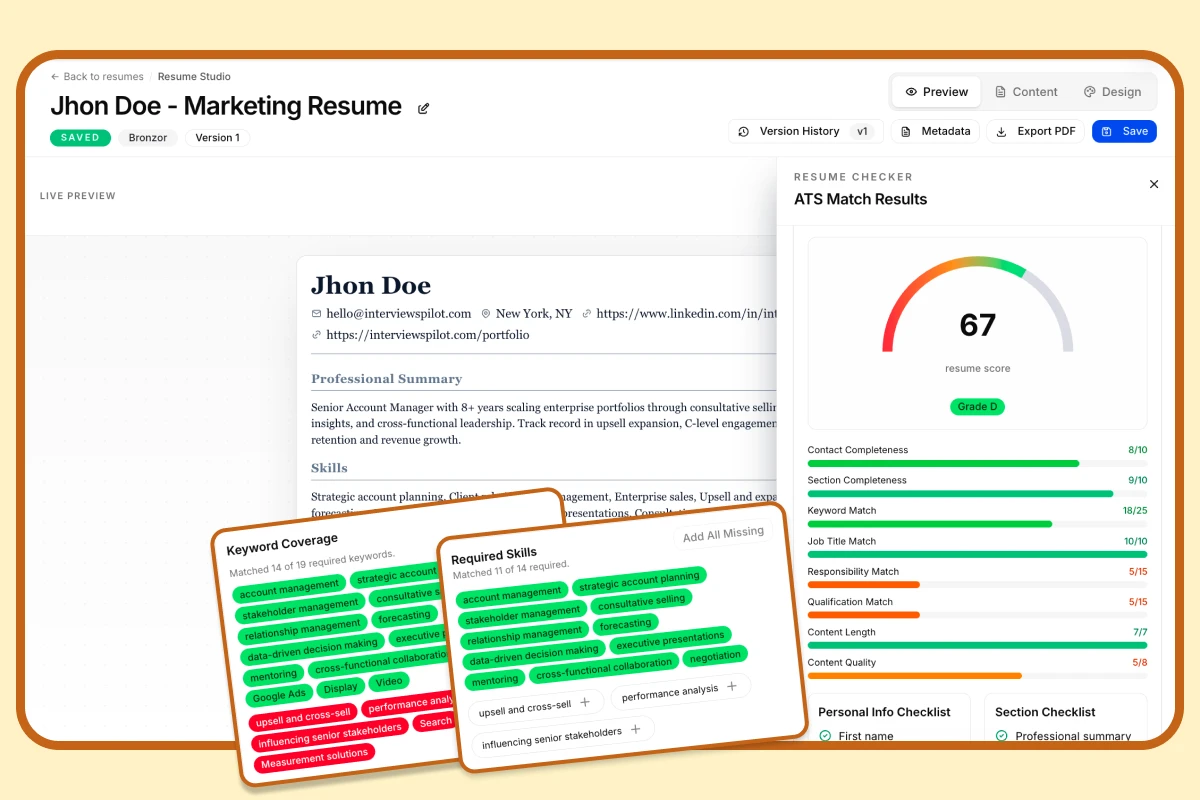
Free ATS Score
Your resume might be invisible to recruiters
Most resumes are filtered out before a human ever sees them. Get your free ATS score and see exactly where your resume falls short — before you hit send.
What Formatting Rules Are Essential for ATS Optimization?
Formatting is the foundation of ATS compatibility. Follow these rules to ensure your resume is machine-readable:
- Use Standard Section Headers: Label sections with common titles like "Work Experience," "Education," and "Skills." Avoid creative titles like "My Journey" or "Where I've Been."
- Choose a Simple, Sans-Serif Font: Stick to fonts like Arial, Calibri, or Helvetica. Avoid script or decorative fonts.
- Avoid Tables, Text Boxes, and Graphics: These elements often scramble information during parsing. Never use a table to layout your entire resume.
- Submit in the Correct File Format: A
.docxfile is generally the safest bet, as it is widely and accurately parsed. A.pdfcan be acceptable, but only if it is a text-based PDF, not a scanned image. - Use Bullet Points: These are parsed easily and improve readability for both the system and the human reviewer.
As the University of Illinois Chicago's career center advises, the safest approach is to keep the resume format simple and linear to guarantee the ATS can follow a logical order when extracting data.
How Should You Incorporate Keywords into Your Resume?
Keyword optimization is about relevance, not stuffing. Your goal is to mirror the language of the job description.
Methodology:
- Analyze the Job Description: Identify hard skills (e.g., "Python," "Project Management," "GA4"), soft skills (e.g., "Cross-functional collaboration"), certifications, and job titles.
- Integrate Keywords Naturally: Place key terms in context within your "Work Experience" bullet points and "Skills" section. For example, instead of listing "communication," write "Led cross-functional communications between engineering and marketing teams."
- Use Variations: Include acronyms and spelled-out versions (e.g., "Search Engine Optimization (SEO)").
- Prioritize Placement: Keywords in job titles, section headings, and the first few bullet points of recent roles may carry more weight.
The practical takeaway is straightforward: tailor your resume with the same job-relevant language the employer uses, then back those keywords with evidence from your actual experience.
Advanced Keyword Strategy: Beyond Simple Matching
While matching keywords is crucial, advanced optimization involves understanding keyword context and hierarchy. Applicant Tracking Systems often use semantic analysis to gauge relevance, meaning they assess how keywords are used together.
Implementing a Semantic Strategy:
- Group Related Skills: If a job description emphasizes "data analysis," ensure your resume includes supporting terms like "data visualization," "statistical modeling," and "SQL" in proximity.
- Mirror Job Description Structure: Pay attention to the order and grouping of skills in the posting. If "team leadership" and "budget management" are listed together under a "Project Management" umbrella, reflect that relationship in your experience bullets.
- Include Synonyms and Industry Terminology: Different companies may use varying terms for the same skill (e.g., "client relations" vs. "customer success"). Including both broadens your match potential.
This nuanced approach helps your resume score higher in more sophisticated ATS systems that evaluate contextual relevance, not just simple keyword counts.
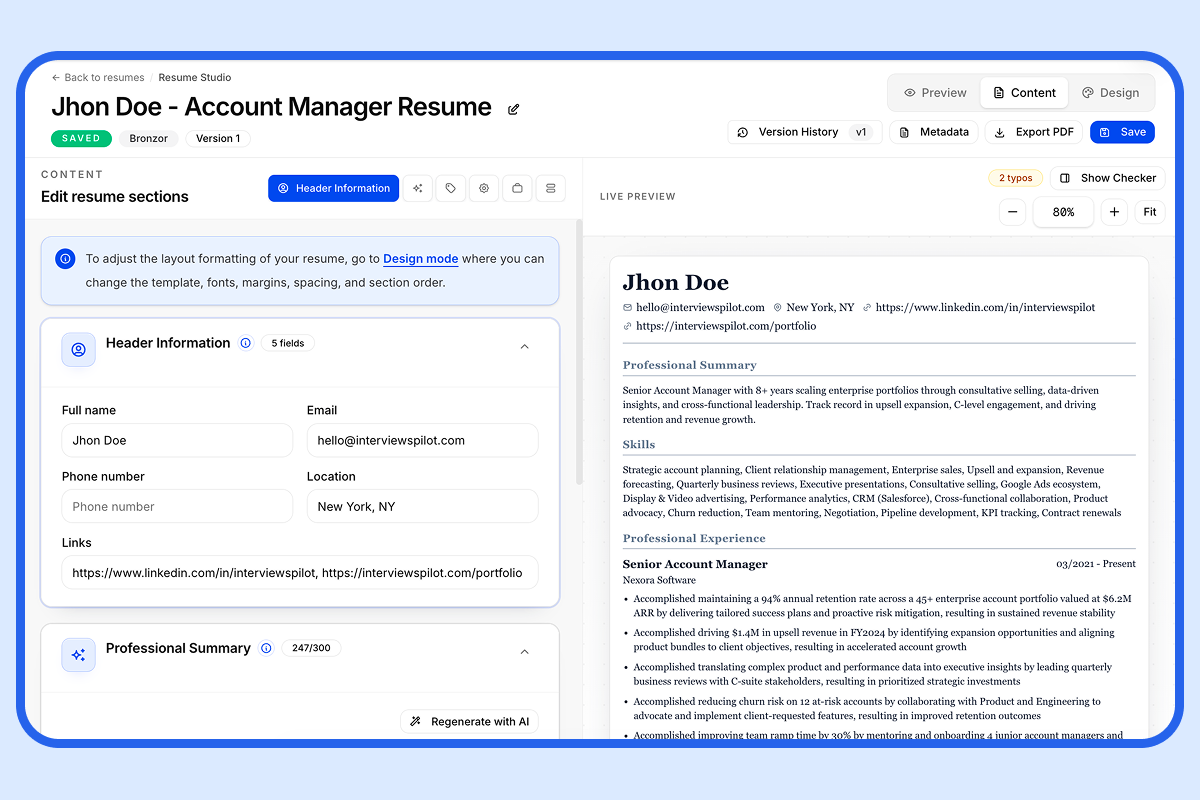
AI Resume Builder
Stop sending the same resume to every job
Paste any job description and InterviewsPilot rewrites your resume around it — keywords, bullets, and summary aligned to what recruiters are actually scanning for.
What Are the Common Pitfalls to Avoid?
Beyond formatting, be mindful of these strategic errors:
- Submitting a Generic Resume: A one-size-fits-all resume is ineffective. You must tailor keywords for each application.
- Hiding Keywords in Headers/Footers: Text in these areas is often ignored by parsers.
- Using Icons or Logos: These are seen as graphics and provide no parsable data.
- Neglecting "Knockout" Criteria: If a job requires a specific certification or degree, ensure it is clearly listed if you have it.
How Do You Balance ATS and Human Readability?
The final, critical step is to edit your keyword-optimized, properly formatted resume for a human audience. After the ATS filters your resume, a recruiter will read it. Ensure it:
- Tells a coherent career story with achievements.
- Uses strong action verbs and quantifiable results.
- Is visually clean and easy to skim.
- Has no spelling or grammatical errors.
Your resume must succeed in both realms: the algorithmic scan and the human review.
ATS Resume Optimization Checklist
Use this checklist before submitting any application:
| Task | Status (✓/✗) |
|---|---|
File is saved in .docx or text-based .pdf format. | |
| Resume uses a standard, sans-serif font (e.g., Arial, Calibri). | |
| All section headers are standard (Experience, Education, Skills). | |
| No tables, text boxes, columns, or graphics are used for layout. | |
| Keywords from the job description are integrated into bullet points. | |
| Skills section includes key hard skills from the job description. | |
| Name and contact info are in the body of the document, not the header. | |
| Resume has been spell-checked and grammar-checked. | |
| Content highlights quantifiable achievements, not just duties. | |
| Related keywords are grouped contextually for semantic relevance. | |
| Synonyms and industry-specific terminology are included where appropriate. |
The Role of AI Tools in ATS Optimization
While manual optimization is essential, AI-powered tools can significantly streamline the process. These tools analyze job descriptions, scan your resume for keyword gaps, and provide tailored suggestions. For instance, platforms like InterviewsPilot offer a Resume Keyword Scanner and Job Description Match feature that compare your resume against a target job posting, highlighting missing keywords and suggesting integrations.
Using AI Tools Effectively:
- Use as a Diagnostic: Let the tool identify keyword deficiencies and formatting issues.
- Don't Over-Reliance: AI suggestions should enhance your manual tailoring, not replace it. Always review suggestions for context and relevance.
- Focus on Integration: Use tool outputs to refine your keyword placement and ensure you're addressing both explicit and implicit requirements from the job description.
Integrating such tools into your process can reduce time spent on analysis and increase the precision of your keyword matching.
Final Recommendation: A Two-Pass System
Adopt a two-pass system for every job application. Pass One is for the ATS: scrutinize formatting and keyword alignment with the job description, employing both simple matching and advanced semantic strategies. Pass Two is for the human: refine the narrative, tighten bullet points, and ensure clarity and impact. By systematically addressing the technical requirements of the software and the analytical needs of the recruiter, you transform your resume from a document that gets lost into one that gets seen.
Explore this category
Resume
Browse the full resume category for more related playbooks, examples, and tactical guides.
Browse Resume articles →One workflow. Resume to offer.
Build ATS-ready resumes, track every application, and practice interviews — all in one place. Free to start, no credit card needed.
✓ Free plan forever · ✓ No card needed
Related articles
How to Write a Resume: A Practical 2025 Guide
Writing a resume is more than listing your work history. This guide shows you how to write a resume step by step, with examples, formatting tips, and ATS-friendly best practices that help your application stand out.
Keywords for Resume: How to Find and Use ATS-Friendly Terms
Resume keywords help your experience match the language employers are searching for. This guide shows how to identify the right terms, place them naturally, avoid common ATS mistakes.