





An Applicant Tracking System (ATS) is software employers use to collect, organize, search, and sometimes rank job applications. This guide explains how an ATS processes resumes, which mistakes commonly cause parsing problems, and what you can do to improve your odds without trying to game the system.
For related next steps, use resume bullet point guide.
For context on automated hiring tools, the EEOC's AI and algorithmic fairness initiative explains why employment software should be evaluated for fairness as well as efficiency.
What is an Applicant Tracking System?
An Applicant Tracking System is a recruitment platform that helps employers manage hiring workflows. When you apply online, your resume is usually uploaded into the ATS, where the system parses the file, extracts information, and stores it in structured fields.
Many ATS platforms also help recruiters:
- Post jobs
- Sort applicants
- Search resumes by keyword
- Track interview stages
- Manage communication with candidates
From a job seeker’s perspective, the most important function is screening. The ATS can influence whether your application gets reviewed, especially when there are many applicants.
How does an Applicant Tracking System work?
Most Applicant Tracking Systems follow a similar process:
- Ingest the application — Your resume and application data are uploaded into the system.
- Parse the resume — The software reads text and attempts to map it into sections such as experience, education, and skills.
- Match keywords — The ATS compares your resume with the job description and other search criteria.
- Rank candidates — Some systems score or organize candidates based on how closely they match the role.
- Route to recruiters — Strong matches are more likely to reach a human reviewer.
This is why ATS resume optimization matters. The goal is not to game the system. The goal is to make your resume easy for the software to read and easy for a recruiter to evaluate.
What are common Applicant Tracking System examples?
If you are researching Applicant Tracking System examples, you will often see platforms used by employers of different sizes. Common ATS categories include:
- Enterprise recruiting platforms
- Small business hiring tools
- Industry-specific applicant management systems
- All-in-one HR suites with ATS features
Popular ATS products include systems like Workday, Greenhouse, Lever, iCIMS, and BambooHR. Different platforms vary in parsing quality, search functionality, and recruiter workflows, but the core resume-screening logic is similar.
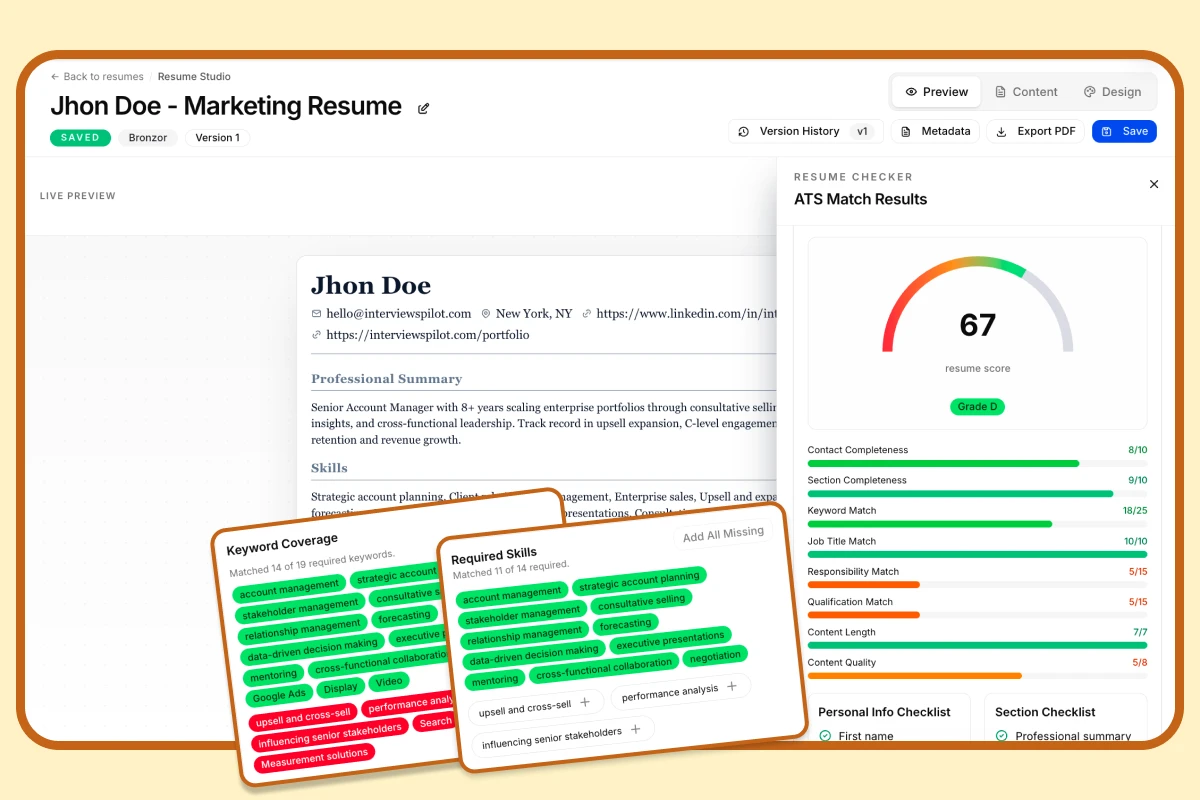
Free ATS Score
Your resume might be invisible to recruiters
Most resumes are filtered out before a human ever sees them. Get your free ATS score and see exactly where your resume falls short — before you hit send.
What are the most common ATS resume mistakes?
Several avoidable issues can cause parsing problems or lower your match score.
1. Complex formatting
Layouts with columns, text boxes, icons, embedded graphics, or unusual tables can confuse the parser. If the ATS cannot read your content correctly, it may reorder sections or miss key details.
2. Nonstandard section headings
Creative labels like “My Career Story” or “Professional Journey” may look polished to a human but can make it harder for the system to identify resume sections. Standard headings usually work best.
3. Missing keywords
If your resume does not reflect the language used in the job description, the ATS may rank it lower. This is one of the most important Applicant Tracking System tips: match the role’s wording where it fits naturally.
4. Unsupported file types
Most employers prefer a clean, text-based resume file. A.docx file is often the safest choice, while scanned images and some uncommon formats can create parsing issues.
5. Graphics and decorative elements
Charts, logos, and image-based skill bars may look attractive but usually do not help ATS readability. In some cases, they can interfere with the extracted text.
How do you format a resume for ATS success?
ATS resume optimization starts with structure. Keep the file simple, readable, and easy to parse.
Use a clean single-column layout
A straightforward, single-column resume is usually the easiest for an ATS to process. Clear spacing and predictable structure help both software and recruiters.
Use standard headings
Use familiar section names such as:
- Work Experience
- Education
- Skills
- Certifications
- Projects
Save in a compatible file format
If you are unsure, submit a Microsoft Word document unless the employer specifically requests a PDF. If you use a PDF, make sure it is text-based and not a scanned image.
Use simple bullet points
Stick with standard bullets and avoid special symbols that may not translate well across systems.
Include a plain-text version if needed
Some application portals and online forms handle resumes poorly. Having a plain-text version can help when you need to paste your information into a form.
How do you optimize keywords for an Applicant Tracking System?
Keyword strategy is central to Applicant Tracking System performance. The best approach is to be specific, relevant, and natural.
Compare your resume to the job description
Look for repeated skills, tools, certifications, and responsibilities in the posting. These are often important signals for the ATS.
Match language without copying blindly
Use the same terms when they accurately describe your experience. For example, if the posting says “project management,” use that phrase if it fits your background.
Place keywords strategically
Add relevant keywords in:
- Summary or profile section
- Skills section
- Work experience bullet points
- Certifications or tools sections
Quantify achievements
Numbers make bullets more persuasive to both ATS systems and recruiters. For example:
- Managed social media
- Increased Instagram engagement by 40% in 6 months through a targeted content strategy
Tailor each resume
One generic resume rarely performs as well as a version tailored to the specific role. Customization is one of the most effective ATS resume optimization strategies.
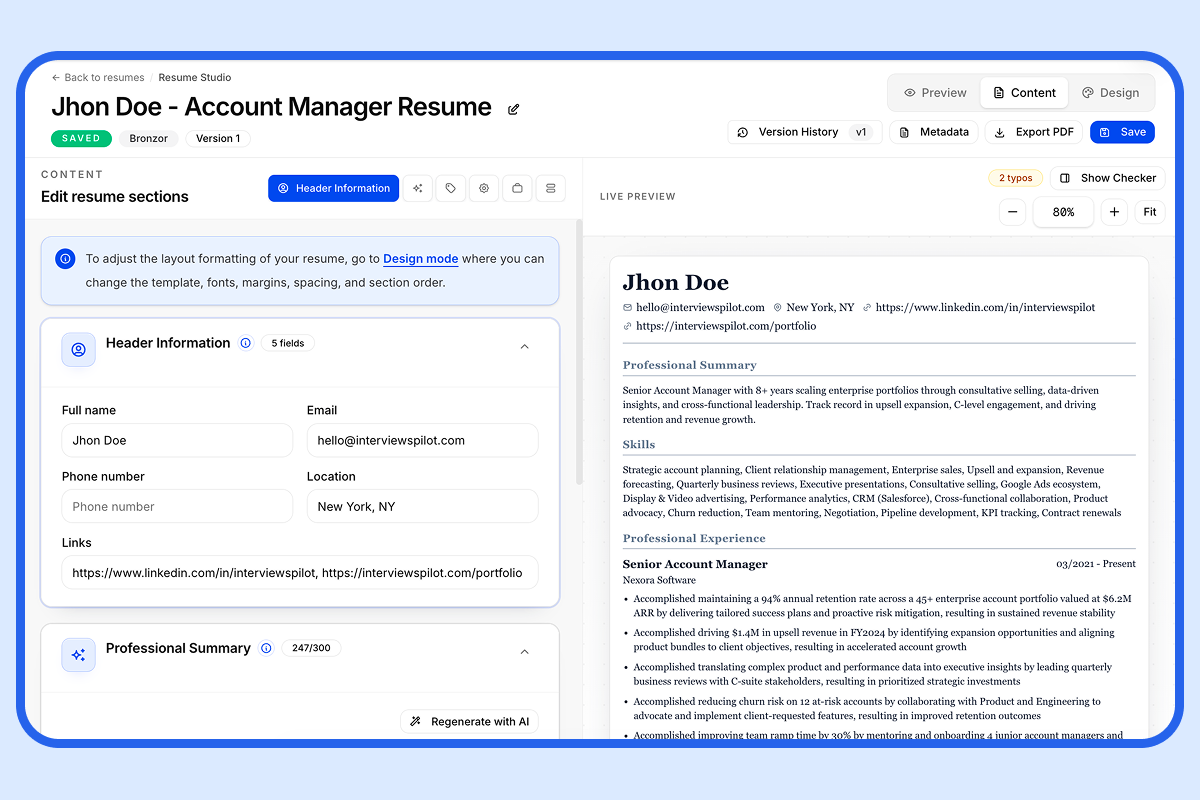
AI Resume Builder
Stop sending the same resume to every job
Paste any job description and InterviewsPilot rewrites your resume around it — keywords, bullets, and summary aligned to what recruiters are actually scanning for.
What tools can help with ATS resume optimization?
Several resume tools can make optimization easier.
- Resume Keyword Scanner — Compares your resume against a job description and highlights missing terms.
- Resume Job Description Match — Shows how closely your resume aligns with a target role.
- Resume Checker — Flags formatting issues, keyword gaps, and parsing risks.
- Resume Bullet Point Generator — Helps turn responsibilities into measurable achievements.
- Job Description Keyword Finder — Helps identify important terms in a posting.
These tools are most useful when paired with careful human review. A good resume should satisfy both software parsing and recruiter expectations.
Who benefits most from understanding Applicant Tracking Systems?
ATS knowledge matters for nearly every online job seeker, but it is especially useful for:
- Career changers who need to translate experience into a new industry’s language
- Students and new graduates with limited work history
- Technical professionals whose resumes rely on software, tools, and certifications
- Candidates applying to large companies with high application volume
If you are applying through job boards or company career sites, understanding the Applicant Tracking System is a practical advantage.
How are ATS best practices evolving?
Modern ATS advice goes beyond basic keyword stuffing. Today, the focus is on:
- Better keyword targeting
- More personalized resume versions
- Stronger resume readability after parsing
- Integration with job tracking and application management
- AI-assisted optimization tools
That shift matters because a resume has to do two jobs at once: pass the ATS and impress the recruiter who reads it next.
What should job seekers remember about Applicant Tracking Systems?
The most useful way to think about an Applicant Tracking System is as a filter, not an enemy. It rewards clarity, relevance, and structure.
If you want your resume to get noticed, focus on three things:
- Use ATS-friendly formatting
- Mirror important job description keywords
- Write achievement-focused bullets that remain clear to humans
That combination gives you the best chance of moving from application to interview.
FAQ
What is an Applicant Tracking System used for?
An Applicant Tracking System is used to manage recruiting tasks such as collecting applications, parsing resumes, searching candidates, and moving applicants through hiring stages.
What are the best Applicant Tracking System tips for job seekers?
The best tips are to use a clean format, standard headings, relevant keywords, and measurable accomplishments. Tailor your resume for each application whenever possible.
What are some Applicant Tracking System examples?
Common Applicant Tracking System examples include Workday, Greenhouse, Lever, iCIMS, and BambooHR. Employers may use these or similar recruiting platforms.
How does ATS resume optimization help?
ATS resume optimization improves the chance that your resume will be parsed correctly and ranked well enough to reach a recruiter.
Do all ATS platforms work the same way?
No. Different systems parse files and rank candidates differently, but most rely on text readability, section structure, and keyword matching.
InterviewsPilot. "ATS-Friendly Resume Templates [Use 100% for Free]."
Explore this category
Resume
Browse the full resume category for more related playbooks, examples, and tactical guides.
Browse Resume articles →One workflow. Resume to offer.
Build ATS-ready resumes, track every application, and practice interviews — all in one place. Free to start, no credit card needed.
✓ Free plan forever · ✓ No card needed
Related articles
How to Optimize Your Resume for ATS: Tips, Examples, and a Practical Checklist
Use this ATS resume optimization guide to format your resume correctly, match keywords from job descriptions, and avoid common mistakes that prevent applications from being read properly.
How to Write a Resume: A Practical 2025 Guide
Writing a resume is more than listing your work history. This guide shows you how to write a resume step by step, with examples, formatting tips, and ATS-friendly best practices that help your application stand out.
Chronological Resume: Structure, Examples, Tips, and ATS Optimization
A chronological resume presents your work history in reverse-chronological order, making it the standard choice for professionals with steady career growth. This guide explains the format, compares it with functional and hybrid resumes, and shows how to optimize every section for recruiters and ATS software.