





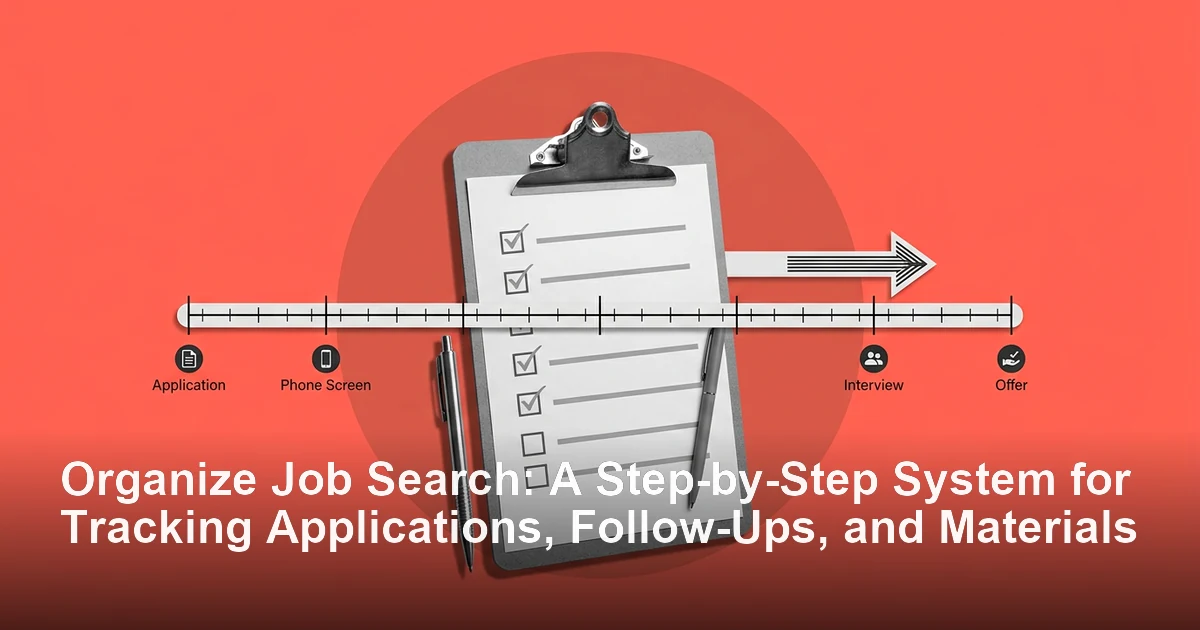
Let's be direct: a disorganized job search creates avoidable stress and missed opportunities. Scattered spreadsheets, forgotten follow-ups, and mismatched resumes can quickly turn a promising search into a frustrating mess. If you want better results, you need a system. For a noncommercial baseline on planning and tracking applications, CareerOneStop's job search guidance is a useful reference.
Answer-First Summary: To organize your job search effectively, centralize everything in one tracking system, define clear application stages, use consistent file naming, and review your progress weekly. This creates a repeatable job search strategy that helps you track applications, tailor materials, manage communications, and follow up on time.
Why Does an Organized Job Search Matter?
A job search involves a lot of moving parts: company names, role titles, application deadlines, resume versions, recruiter contacts, and interview dates. When those details live in different places, important information falls through the cracks.
That can lead to common mistakes like.
- Sending the wrong resume version
- Forgetting which roles you've already applied to
- Missing follow-up deadlines
- Repeating research you already did
- Showing up unprepared for interviews.
An organized system helps you reduce mental clutter, save time, and present yourself as careful and prepared.
How Do You Start to Organize Your Job Search?
The best time to set up your system is before you apply to anything. Start with a simple command center and build from there.
1. Choose one tracking hub
Use one place as your source of truth. A spreadsheet is a great starting point because it is flexible and easy to update. If you prefer a more structured setup, use a dedicated job search tracker or CRM-style tool.
The most important part is consistency. Do not split your search across too many documents, notes apps, and bookmarks.
2. Define your pipeline stages
Create a clear path for every role you consider. A simple pipeline might look like this:
- Saved
- Preparing
- Applied
- Interviewing
- Offer
- Rejected
This makes it easier to see where each application stands and what needs your attention next.
3. Set a file naming system
Use a naming format that makes every document easy to identify at a glance. For example:
YourName_JobTitle_Company_Date.pdf
Examples:
JaneDoe_MarketingManager_InterviewsPilot_20231027.pdfJaneDoe_CoverLetter_ProgramManager_Acme_20231027.pdf
Apply the same logic to resumes, cover letters, and interview notes.
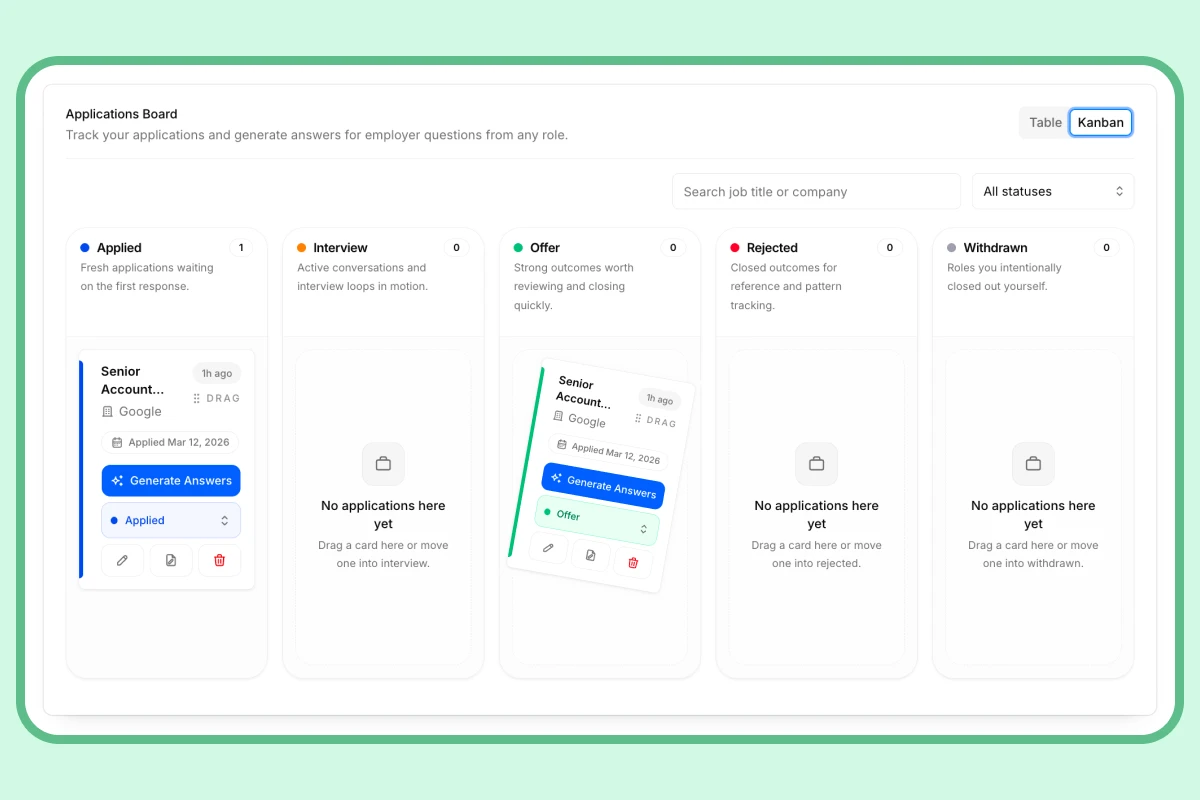
Application Tracker
Applying to 10+ jobs? You need a real system.
No more spreadsheets or lost threads. Track every role, stage, deadline, and follow-up in one dashboard — so you always know exactly where you stand.
What Should a Job Search Tracker Include?
Your tracker should capture the details you need to apply, follow up, and prepare efficiently. At minimum, include these fields:
| Column Name | Purpose |
|---|---|
| Company Name | Identifies the employer |
| Job Title & ID | Keeps the role specific |
| Posting URL | Links to the original listing |
| Date Saved | Shows when you first found the role |
| Date Applied | Tracks submission timing |
| Application Status | Shows where the role is in your pipeline |
| Contact Name/Title | Stores recruiter or hiring manager details |
| Contact Email/Phone | Makes follow-up easier |
| Resume File Name | Notes which version you sent |
| Cover Letter File Name | Tracks the tailored document used |
| Next Step & Date | Reminds you what to do next |
| Notes | Stores research, interview points, and key details |
This structure turns a scattered search into a searchable system. You can see your progress, prioritize next steps, and avoid duplicate effort.
How Do You Build a Better Job Search Strategy?
Organization is not just about staying neat. It also improves the quality of your applications.
Save first, apply later
When you find a role that looks interesting, save it in your tracker right away. Do not rely on memory or browser tabs. This gives you time to review roles in batches instead of rushing through applications one by one.
Tailor each application intentionally
For every role in your Preparing stage, read the job description carefully. Identify the top skills, responsibilities, and keywords. Then mirror that language in your resume and cover letter where it is truthful and relevant.
A strong job search strategy is not about sending more applications. It is about sending better-targeted ones.
Submit and log immediately
Once you apply, update your tracker right away. Record the date, change the status to Applied, and note when you should follow up. A reminder in 10 to 14 business days is a practical benchmark for many applications, depending on the employer and posting timeline.
How Should You Manage Follow-Ups and Communication?
Your job search does not end when you click submit. Staying organized after applying is just as important as the application itself.
After an application
If enough time passes without an update, send a brief follow-up email that restates your interest and asks about next steps.
After an interview
Send a thank-you email within 24 hours. Keep it specific to the conversation so it feels thoughtful, not generic.
After an offer or rejection
Respond professionally either way. A gracious message helps you maintain a positive relationship for the future.
During the interview process
Log each interviewer’s name, role, format, time, and platform link. Add notes from your research so you can prepare quickly before the conversation.
What Is the Best Weekly Review Routine for a Job Search?
A weekly review keeps your system useful instead of passive. Set aside 30 minutes once a week to do the following:
- Review every active application
- Update statuses
- Check follow-up dates
- Move stale roles to closed
- Add new opportunities
- Identify patterns in your results
This review helps you spot trends. For example, if you are getting interviews but no offers, you may need to strengthen interview prep. If applications are going nowhere, your resume or cover letter may need more targeting.
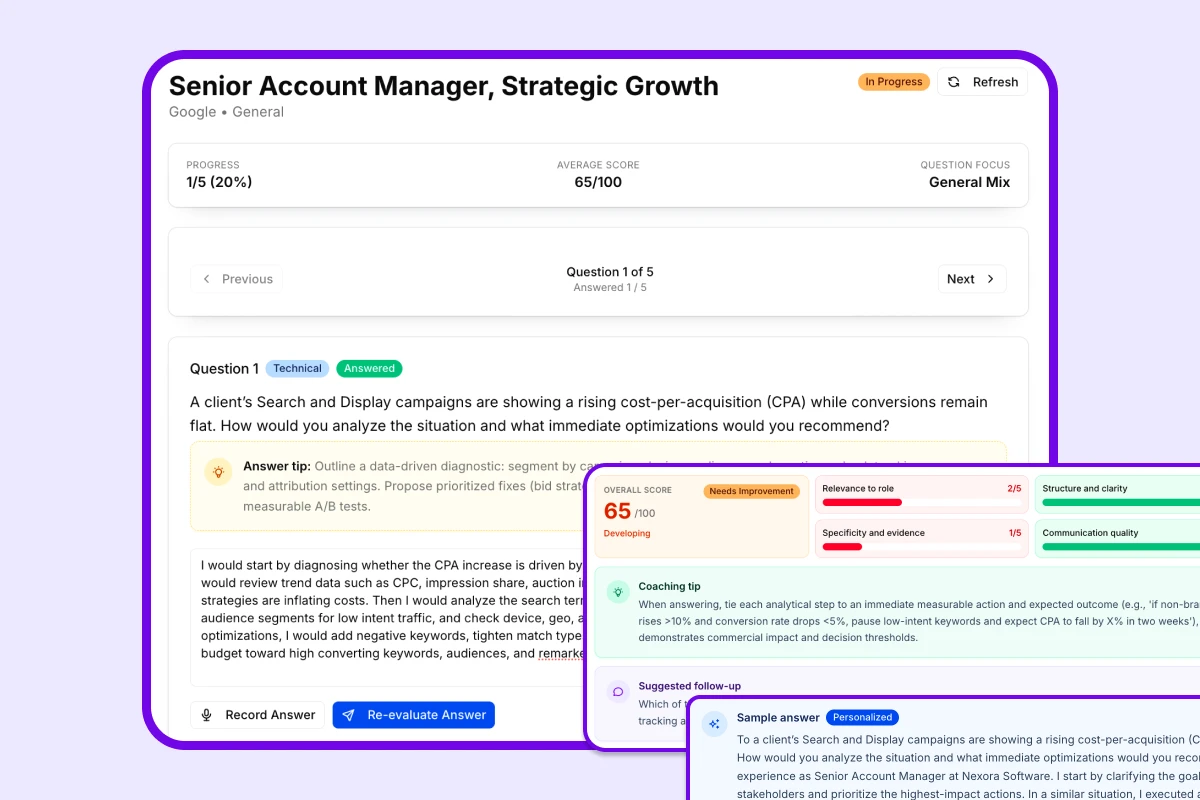
AI Interview Prep
Got the interview? Now make sure you're ready.
Practice the exact questions likely to come up for your target role. Get scored on clarity, structure, and relevance — so you walk in sharp, not winging it.
What Common Job Search Problems Does Organization Prevent?
A good system helps you avoid several common problems:
- Generic applications: You always know which tailored materials you used for each role.
- Forgotten follow-ups: Your tracker creates a clear next action.
- Lost job postings: You keep the original URL and notes in one place.
- Confused communication: You can quickly find recruiter and hiring manager details.
- Pre-interview scrambling: You already have research and notes ready when an interview is scheduled.
What Tools Can Help Organize Job Search Tasks?
You can organize your job search with a spreadsheet, a dedicated tracker, or a CRM-style tool. Choose the format that you will actually keep up to date.
Helpful features to look for include:
- Status tracking
- Document storage or links
- Notes fields
- Follow-up reminders
- Bookmarking or saved-job capture
- Easy filtering by stage or company
The best tool is the one that makes it easiest to maintain momentum.
Frequently Asked Questions
How do I organize my job search if I am applying to many jobs at once?
Use one tracker, one folder system, and one naming convention. Batch your tasks by stage so you are not switching between research, tailoring, and follow-up work all day.
What is the simplest way to track job applications?
A spreadsheet is often the simplest option. Include company name, role title, date applied, status, and next step so you can see everything in one place.
How often should I update my job search tracker?
Update it every time you save a job, submit an application, receive a response, or schedule a follow-up. A weekly review helps keep everything current.
Why is tailoring important in a job search strategy?
Tailoring helps your application match the role more closely. It makes it easier for recruiters and hiring managers to see that your experience fits what they need.
Final Thoughts
The goal is not to make your job search complicated. The goal is to make it manageable.
When you organize your job search with a simple system for tracking, tailoring, and follow-up, you reduce stress and improve your chances of moving forward. Start with one tracker, keep your process consistent, and review it every week. Small habits create a much stronger job search strategy over time.
Explore this category
Job Applications
Browse the full job applications category for more related playbooks, examples, and tactical guides.
Browse Job Applications articles →One workflow. Resume to offer.
Build ATS-ready resumes, track every application, and practice interviews — all in one place. Free to start, no credit card needed.
✓ Free plan forever · ✓ No card needed
Related articles
Free Applicant Tracking Systems for Job Seekers: How to Organize Applications and Save Time
If your job search is spread across spreadsheets, bookmarks, and email threads, a free applicant tracking system can help. This guide explains what these tools do, which features matter most, and how to use one to manage applications, follow up consistently, and tailor every submission.
How Many Jobs Should I Apply For? 2025 Job Search Strategy and Weekly Application Targets
Wondering how many jobs you should apply for? This guide breaks down weekly and total application targets, explains when to prioritize quality over quantity, and shows how to build a smarter job search plan for your timeline.
How to Create a Strategic Job Search Plan: A Step-by-Step Playbook
A strategic job search plan turns an overwhelming job hunt into a focused process. Use this step-by-step framework to define your targets, organize your search, tailor your applications, and stay on track.